SpaceSharp vs TreeSize Free
TreeSize Free shows folder sizes in a tidy tree and keeps its duplicate search, scan comparison and exports for the paid editions. SpaceSharp is one complete program, free and open source, with those included.
Free · open source · Windows 10 and 11 · facts checked 11 November 2026
In short
A free TreeSize alternative with nothing held back
Pick SpaceSharp if you
- want duplicate search and a comparison with your last scan without paying
- want to use it at work without buying a license
- want to read the drive as a map you zoom into
- want CSV export and a list of what is safe to clear
Pick TreeSize Free if you
- like an Explorer-style folder tree with sizes as the main view
- want a PDF report of a drive
- plan to move to TreeSize Professional for file servers, cloud storage or scheduled reports
- want a vendor with paid support behind the tool
Feature by feature
SpaceSharp and TreeSize Free, side by side
| Feature |  SpaceSharp | TreeSize Free |
|---|---|---|
| Price | Yes.Free, for any use | Partly.Free for private, non-commercial use; paid editions for work |
| Open source | Yes.MIT license | No.Closed source |
| Free at work | Yes.Yes; the MIT license allows any use | No.No; the Free edition is not for commercial use or Windows Server |
| Treemap | Yes.The main view: names and sizes on the boxes, zoom and pan, a minimap | Yes.A treemap chart next to the folder tree |
| Duplicate file search | Yes.Included, compared by contents | No.Paid editions only |
| Shows what changed since the last scan | Yes.Included: every scan is saved and compared | No.Paid editions only |
| Says what is safe to clear | Yes.An Insights view: temp folders, caches, old downloads, installers already run | No.Not listed for the Free edition |
| Filter and search | Yes.Plain words, file types, size and age; the map dims what does not match | Partly.Basic filters; advanced search is in the paid editions |
| Export | Yes.CSV and TSV, and the map as a picture | Partly.PDF only; Excel, CSV and HTML are in the paid editions |
| Portable version | Yes.One exe | Yes.Yes |
Checked on 11 November 2026 against jam-software.com (the TreeSize Free page and the edition comparison). Products change; if something here is out of date, open an issue and it gets fixed.
Editions
One edition, and it is the whole program
TreeSize comes in three editions. The Free one is meant for private, non-commercial use on desktop PCs, and several features people look for sit in Personal and Professional: duplicate file search, comparing scans over time, finding large files and exports beyond PDF.
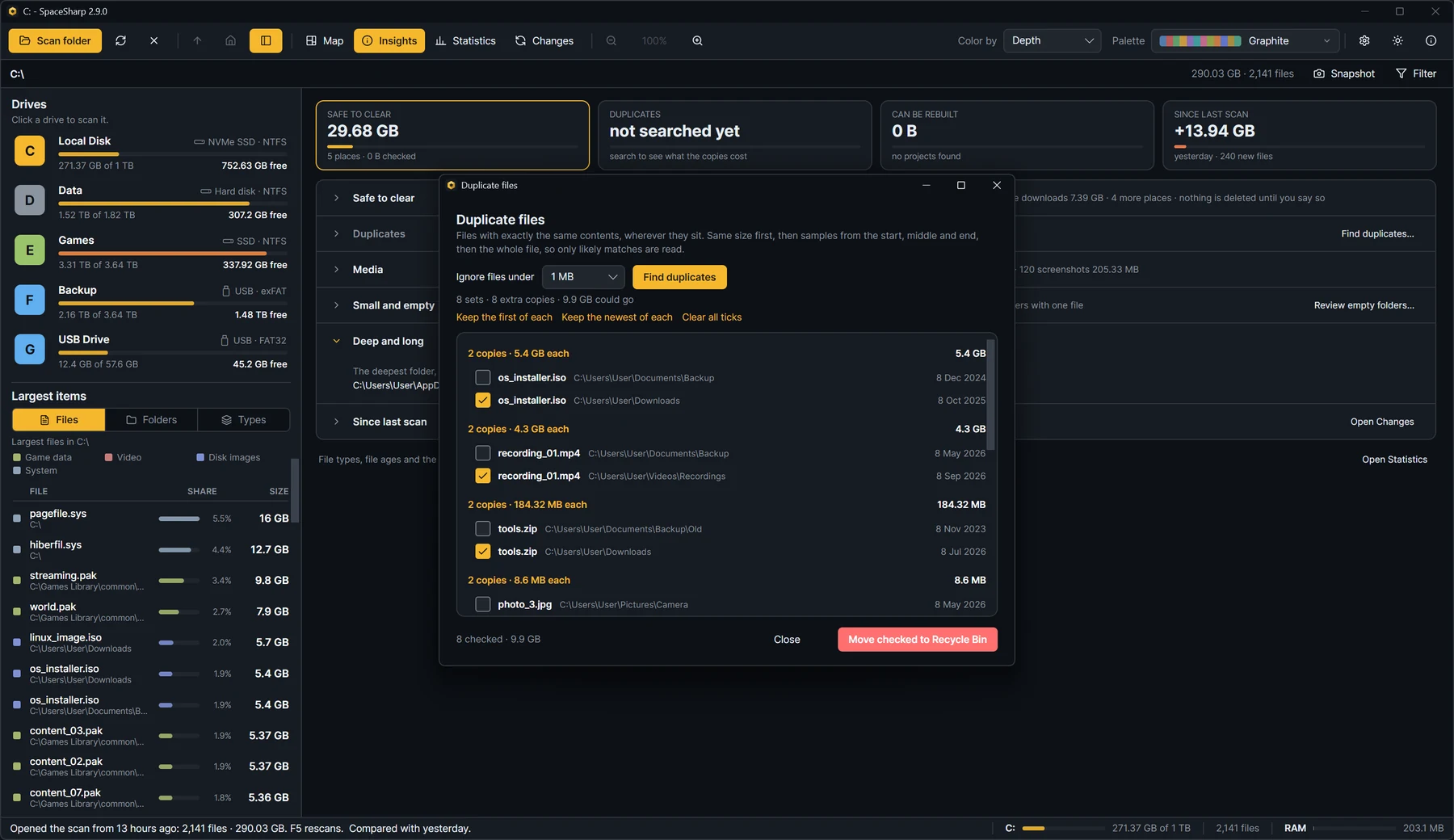
SpaceSharp has no editions. The duplicate finder, the Changes view, Statistics, Insights and CSV export are all in the free download, and the MIT license lets you use it at work.
The view
A tree of sizes, or a map of the drive
TreeSize is built around a folder tree, like Explorer with a size next to every folder, and a treemap chart as a second view. It suits people who think in folders and want to expand them one at a time.
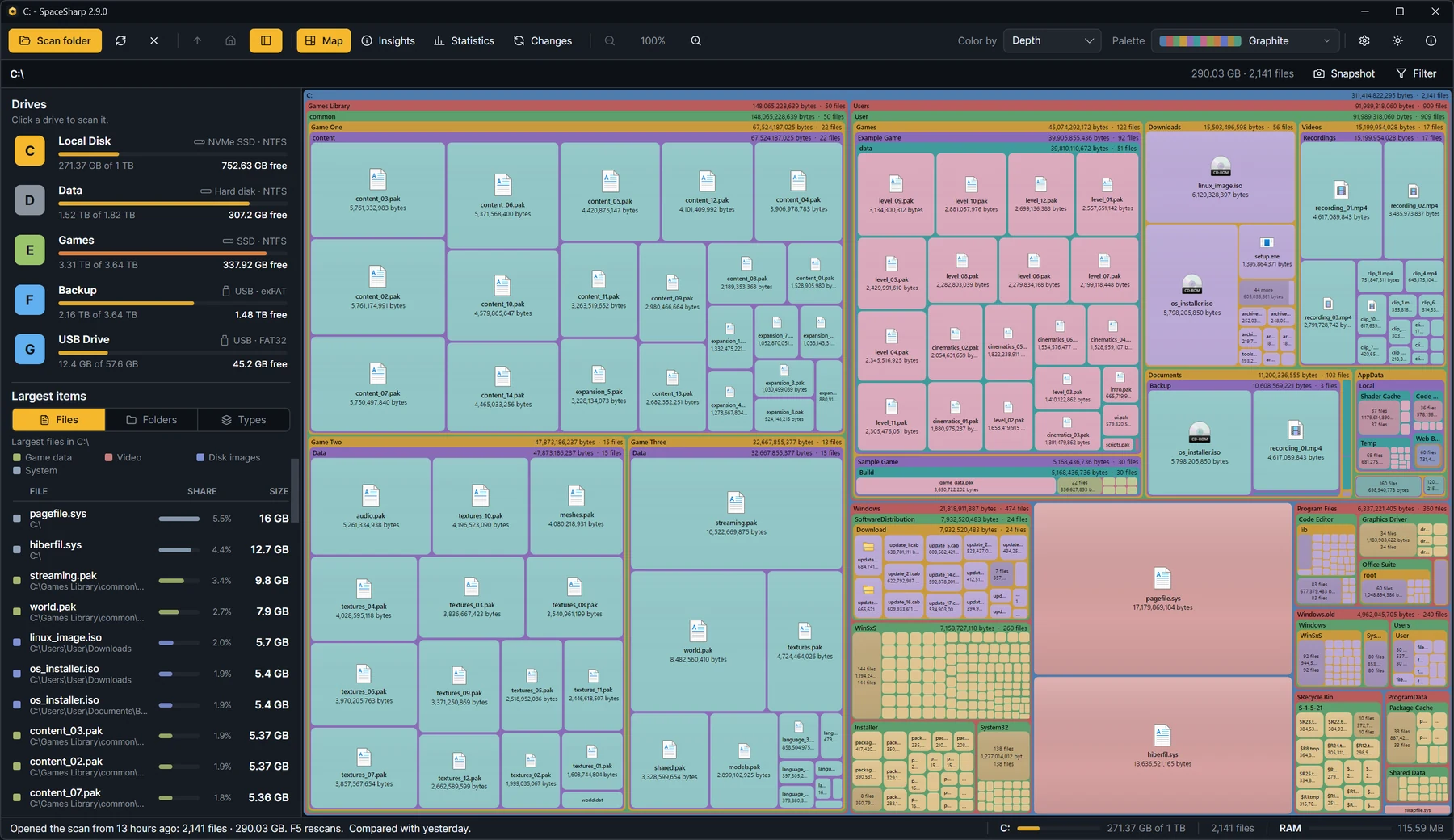
SpaceSharp is built around the map. Every folder is a frame and every file a box sized by the space it takes, with names written on them, so the largest things on the drive stand out before you open anything. Double-click to fly into a folder; the side panel lists the largest files, folders and types.
After the scan
What grew since last time
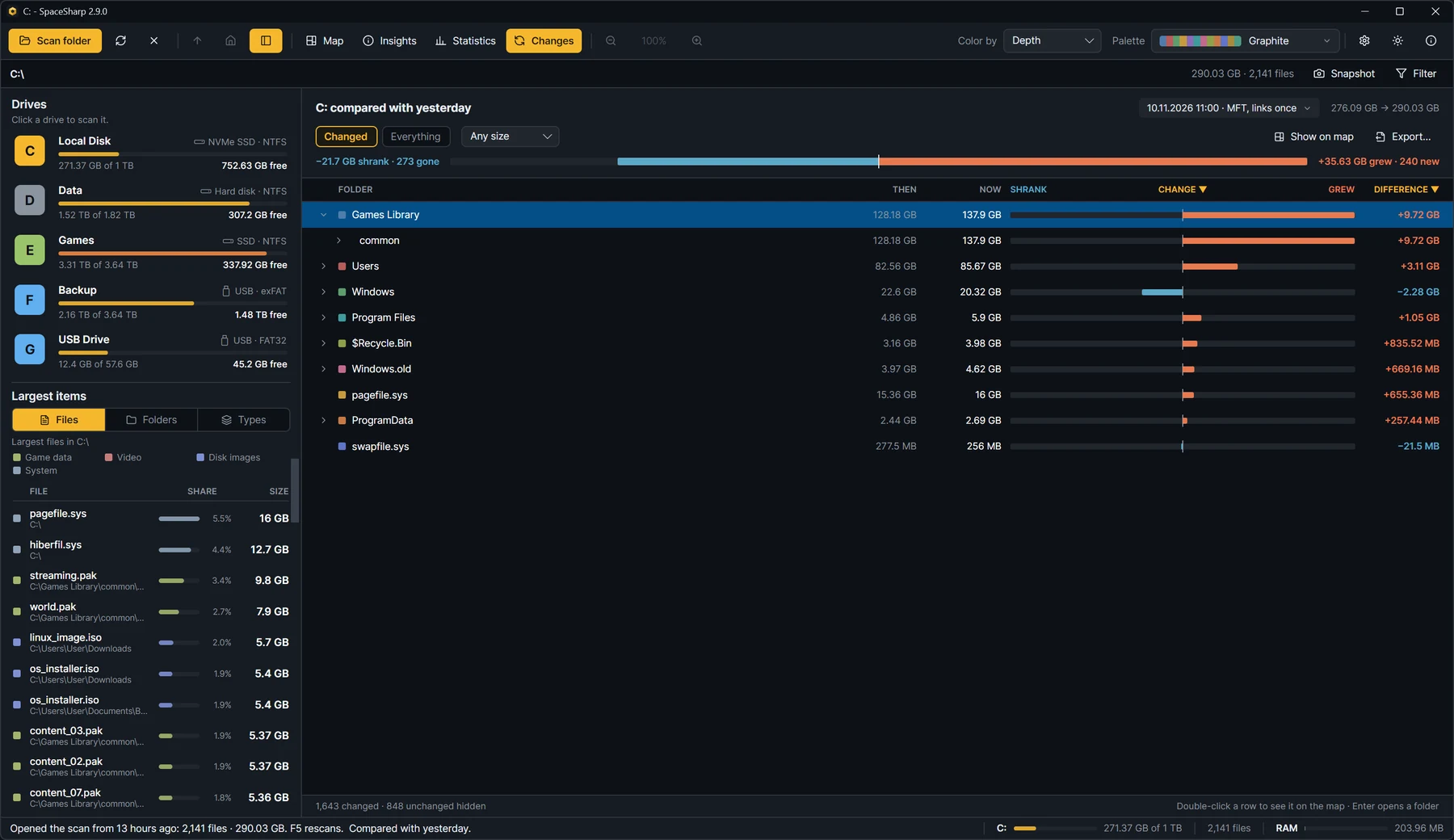
SpaceSharp saves every scan and compares it with the one before. The Changes view shows each folder's size then and now, how much it grew or shrank, and which files appeared or disappeared, so a drive that filled up over a month explains itself.
In TreeSize, comparing snapshots is a feature of the paid editions.
To be fair
Where TreeSize is the better choice
TreeSize is made by a company whose business is storage tools, and the paid editions go well beyond what SpaceSharp does:
- File servers and cloud storage: TreeSize Professional scans server shares, SharePoint and cloud targets.
- Scheduled scans and reports in Excel, HTML and PDF.
- The folder tree itself, if that is how you like to read a drive.
- Commercial support for organizations that require it.
For an IT department managing shared storage, TreeSize Professional is the right kind of tool. For finding out what filled your own drive, the free edition is limited and SpaceSharp is not.
Moving over
Coming from TreeSize Free
You will find the familiar parts quickly:
- The biggest items are listed. The side panel shows the largest files, folders and types, each with its share of the scan.
- Percentages and shares are in the Inspect window and the Statistics view.
- Right-click works as you expect: Open in Explorer, Properties, Copy path, Export, Move to Recycle Bin.
- The fast scan asks for administrator rights once per scan; decline and it scans the normal way.
Questions
SpaceSharp or TreeSize Free?
Is SpaceSharp a good free alternative to TreeSize?
Yes. SpaceSharp includes duplicate search, a comparison with your last scan and CSV export, which TreeSize keeps for its paid editions. It is open source under the MIT license and free for any use. TreeSize is the better pick if you want a folder tree as the main view or need the Professional edition's server and cloud scanning.
Can I use SpaceSharp at work, unlike TreeSize Free?
Yes. TreeSize Free is licensed for private, non-commercial use and is not usable on Windows Server. SpaceSharp's MIT license allows any use, including commercial use, at no cost.
Does SpaceSharp find duplicate files for free?
Yes. Press Ctrl+D to find files with identical contents on the whole scan or in one folder. In TreeSize, duplicate search is part of the paid Personal and Professional editions.
Does SpaceSharp have a folder tree like TreeSize?
The main view is a treemap, not a tree. A side panel lists the largest files, folders and types, and the Statistics view goes into more detail.
Is SpaceSharp open source?
Yes, under the MIT license, with the source on GitHub. TreeSize is a closed-source commercial product with a free edition.
Which Windows versions does SpaceSharp support?
Windows 10 and 11, 64-bit or 32-bit. Windows on ARM runs the 64-bit build through emulation. Nothing else needs installing.
More comparisons
Looking at another one?
Try it on your own drive.
Everything is in the free download: duplicates, scan comparison, statistics and export.
v2.9.0 · Windows 10 and 11 · MIT · code-signed · no telemetry